Data sources and environment
First off we need to set up environment settings and then create the required data sources.Environment settings
Go to https://app.enterspeed.com/settings/environment-settings. Create a domain called localhost. Once you have created the domain, click the three dots next to the domain name (settings) and select Edit hostnames. Create a hostname called root.tld and click save. Create an Environment client named Web and select the localhost domain when prompted. Finally, create an Environment called Demo. You should end up with something like this: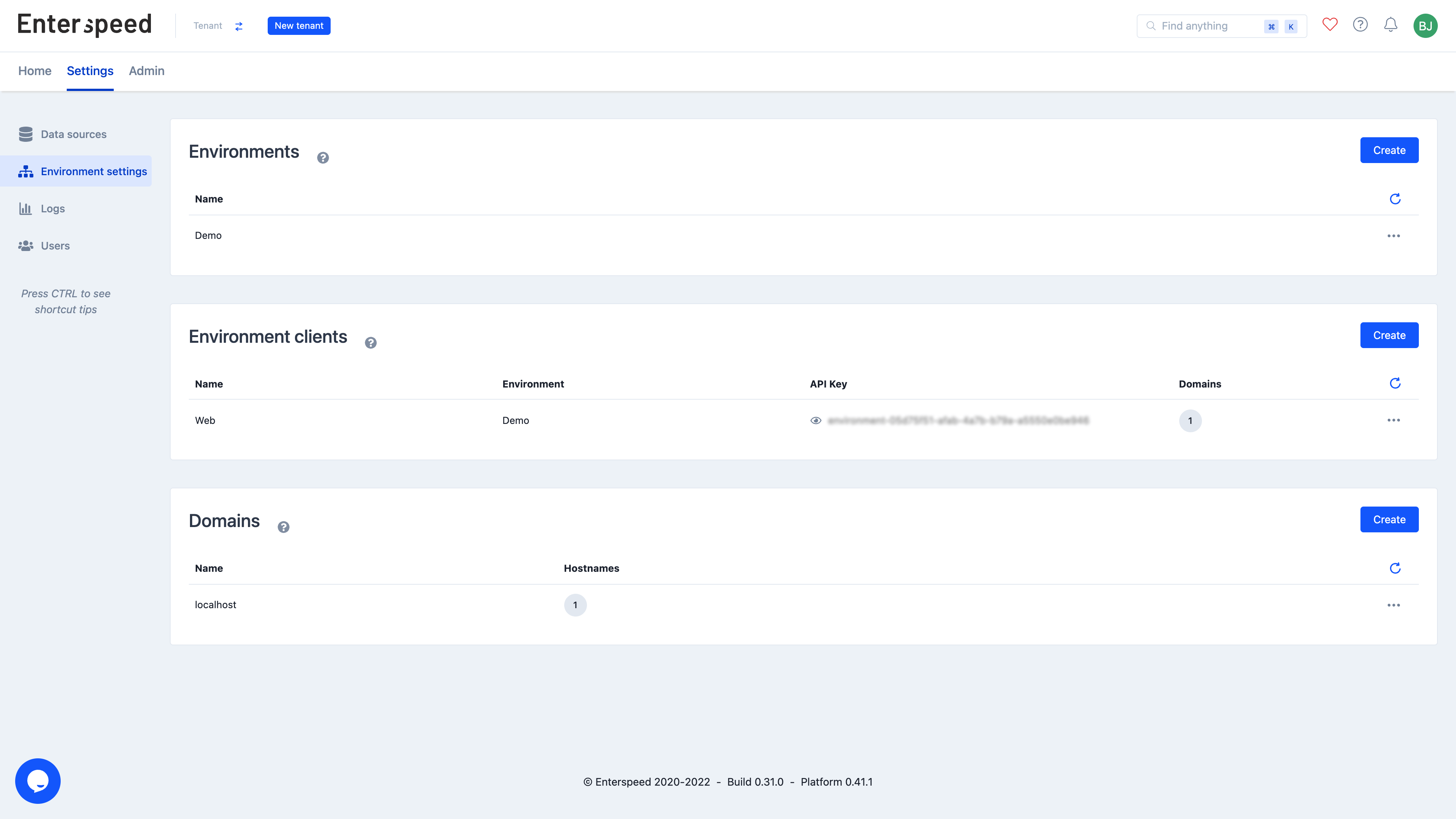
Data sources
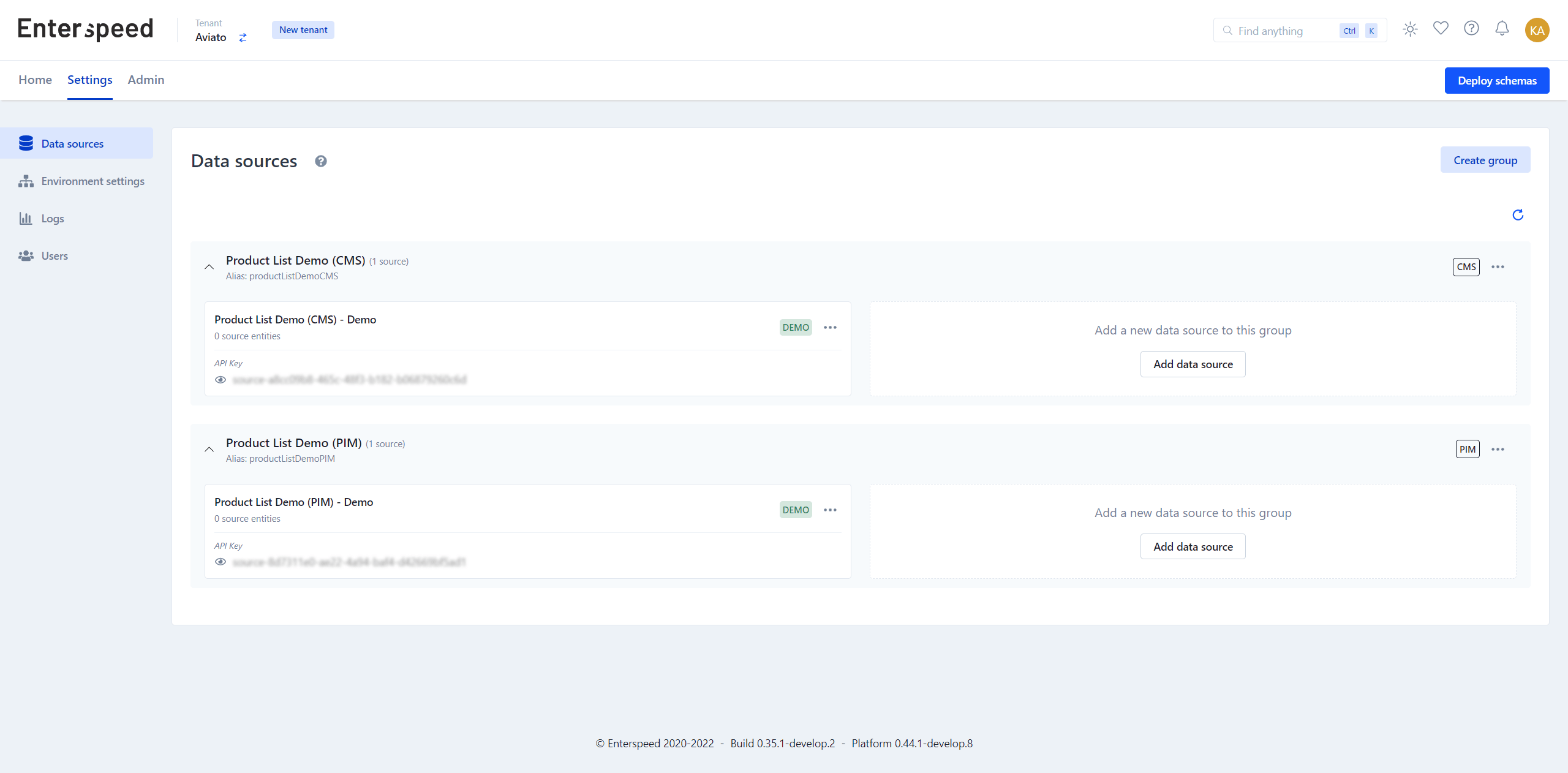
Go to https://app.enterspeed.com/settings/data-sources and create a data source group named Product List Demo (CMS) and Product List Demo (PIM). In the Product List Demo (CMS)-group created a data source called Product List Demo (CMS) - DEMO and select the Demo environment. For the Product List Demo (PIM)-group create a data source called Product List Demo (PIM) - Demo and select the Demo environment.