

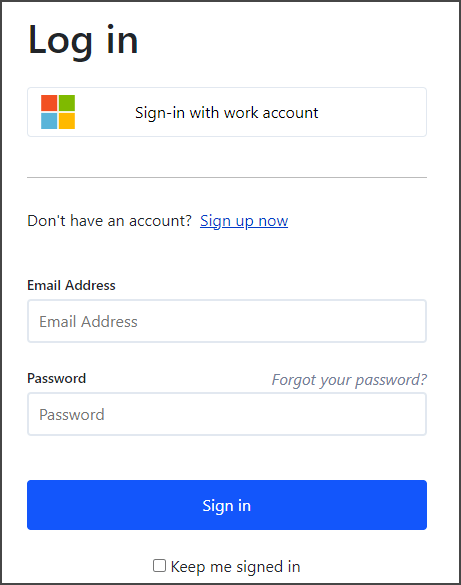
Email and password
If you want to work with a email and password user, you can create one by clicking the Sign up now link on the login page. Here you can create a user by providing an email and a password. Once a user is created and signed in, you can start creating your first tenant or if you got an invite to an existing tenant you can accept the invite.Microsoft Entra ID work or school account
If you prefer to work with Microsoft Entra ID user, you must first have a Microsoft Entra ID user (former know as Azure Active Directory). Once you have that in place you can simply click the Sign-in with work account button, no configuration needed in Enterspeed. The first time you sign in with an Microsoft Entra ID user a new Enterspeed user will automatically be created for you.If you already have one or more tenants on a email and password users and you want to move these tenant to a new Microsoft Entra ID user, just let us know, and we can move the tenants for you.
FAQ
Got a question? We might already have the answer!Which identity providers do Enterspeed support?
Which identity providers do Enterspeed support?
Currently we support Microsoft Entra ID work or school, former known as Azure Active Directory.If you need support for other identity providers, please reach out to us.
Can I use both email/password and Microsoft Entra ID logon for the same user?
Can I use both email/password and Microsoft Entra ID logon for the same user?
No, an Enterspeed user can either logon using email/password or a Microsoft Entra ID.
Can I have two users, one for email/password and one for Microsoft Entra ID, with the same email?
Can I have two users, one for email/password and one for Microsoft Entra ID, with the same email?
No, in Enterspeed the email is unique per user.