

Hostname
The documentation is public, so this server needs no authentication — there is no key to issue and nothing to scope.
Installation
- VS Code (GitHub Copilot)
- Claude Code CLI
- Claude Desktop
Simply click the arrow next to the Copy page button on the top right of this page and select Connect to VS Code and click the install button in VS Code.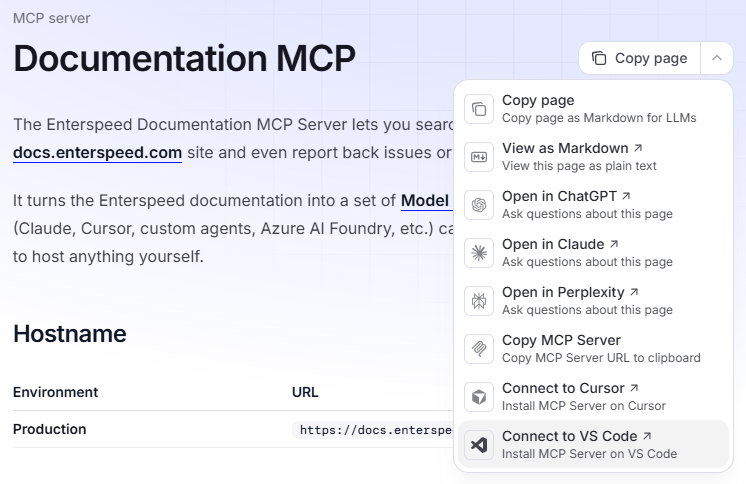
mcp.json file. For a single workspace, put the config at .vscode/mcp.json; for every workspace, use the MCP: Open User Configuration command from the command palette.Other MCP clients
The three clients above are the ones we test against regularly, but the MCP server is client-agnostic. Any MCP-capable client follows the same pattern — point it athttps://docs.enterspeed.com/mcp with http transport.
Or simply just ask your favorite AI agent how to connect to the Enterspeed Documentation MCP Server. It should be able to generate the configuration for you.