

Modes
Source groups works in two different modes. Modes are selected on source group creation and can’t be changed afterwards.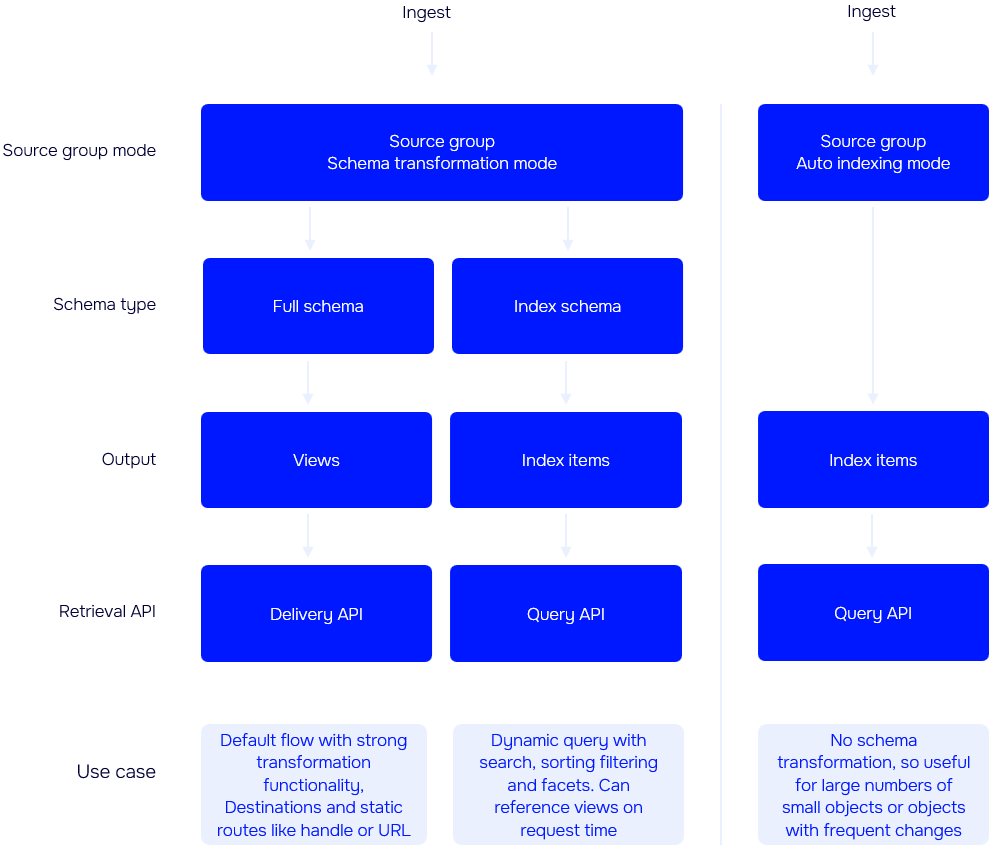
Schema Transformation (default)
Schema Transformation is the default and recommended mode for most scenarios. It enables you to transform and combine source entities into views or index items using defined schemas. Once processed, views can be accessed via the Delivery API, while index items are available for querying through Query API. The schema transformation is a powerfull feature, allowing you to tailor and structure data precisely to meet consumer needs. However, because the transformation process takes time, this mode is best suited for non-real-time data.Auto Indexing
Auto Indexing mode are currently in preview.
price — and define the fields and their data types in JSON, as in the example below.
Only top-level properties holding a single value, or a list of single values, can be indexed. Nested objects, and lists of objects, are never indexed and can’t be added to a mapping.
Properties that aren’t defined in the type’s fields aren’t added to the index, so you can’t query them. Your source entities are stored in full, so adding an indexable property to the mapping later populates it for the entities you have already ingested — you don’t need to re-ingest them.
Types
Setting the right types for the properties in your index is important. The types defines the intend of the fields and prevents data of other types from going into the index. The types also helps with effeciently index, search, and analyze of the data added to the index.Text
Numeric
Boolean
Date
List
Managing type mappings
You can add, change, and remove type mappings on an Auto Indexing source group at any time. Each type gets its own index, so a change to one type never affects the others.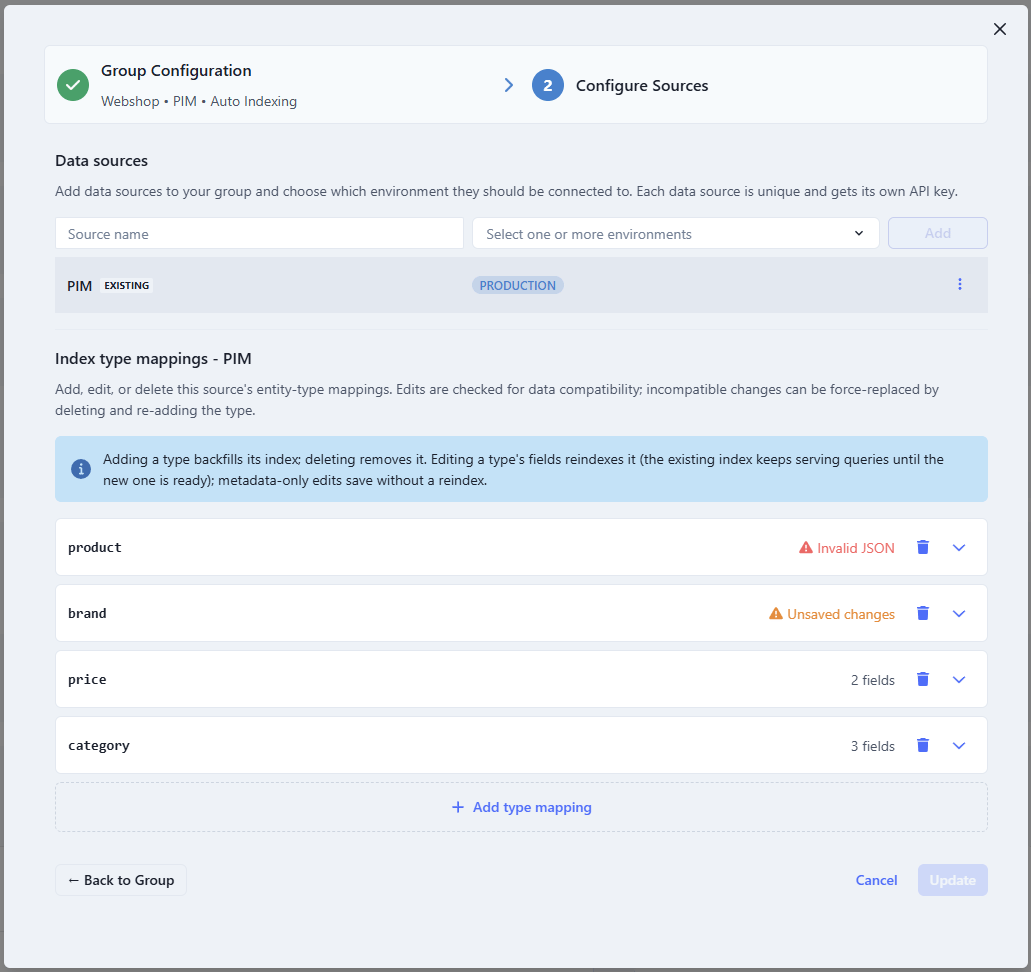
Adding a type
Add a mapping for a type that isn’t indexed yet, and Enterspeed creates the index and fills it from the source entities you have already ingested. You don’t need to re-ingest anything. Indexing runs in the background, so it can take a moment before every entity is queryable.Changing a type
What happens when you save depends on what you changed.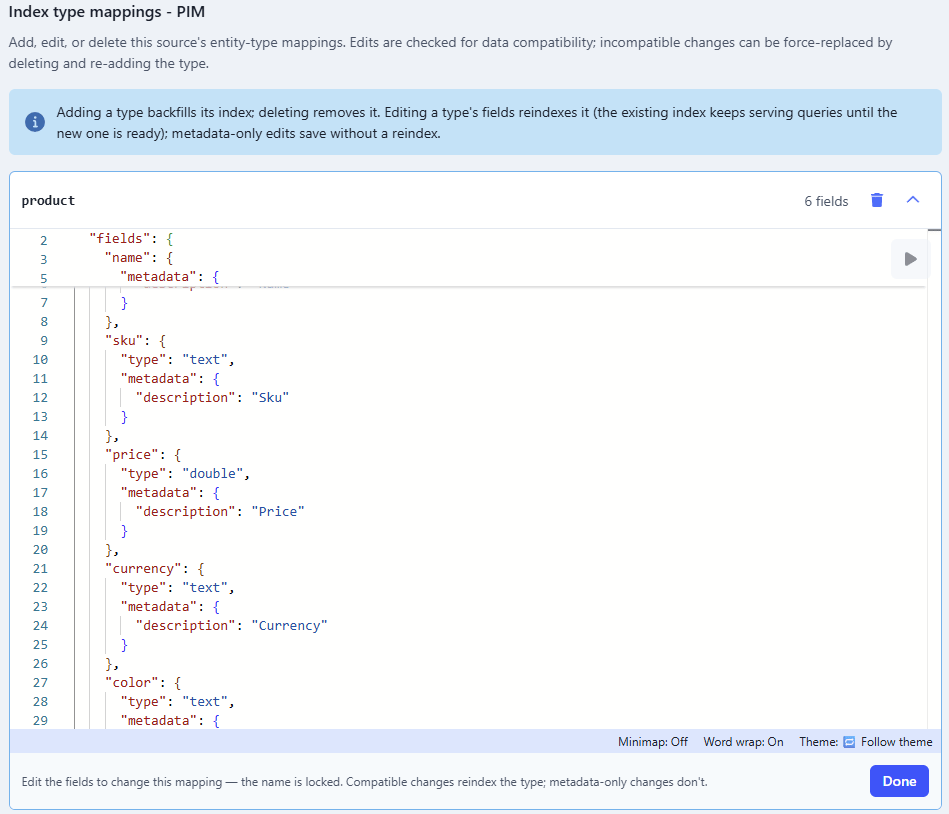
Compatible field type changes
A rebuild re-indexes your existing values under the new type, so a type change is only allowed when every value can survive it. Adding and removing fields is always allowed.
Converting a number or date to
text or keyword keeps the value but loses range and sort behaviour, so filter on it as a string afterwards.
These changes are rejected, because existing values would be lost:
- Narrowing a number, such as
doubletointeger texttokeyword, which isn’t supported at the moment- A list to a single value, such as
keyword[]tokeyword - Switching between unrelated types, such as
datetointeger
Replacing a type
Sometimes you need a change that the rules above reject, but your data supports it anyway. Say you mapped a price field astext and it should have been double — that change is rejected because a text field can hold values that aren’t numbers, not because yours does.
For cases like this you can replace the type instead. Enterspeed tells you which fields are the problem and offers this per type, so you can replace one type and leave the rest of your changes to go through normally.
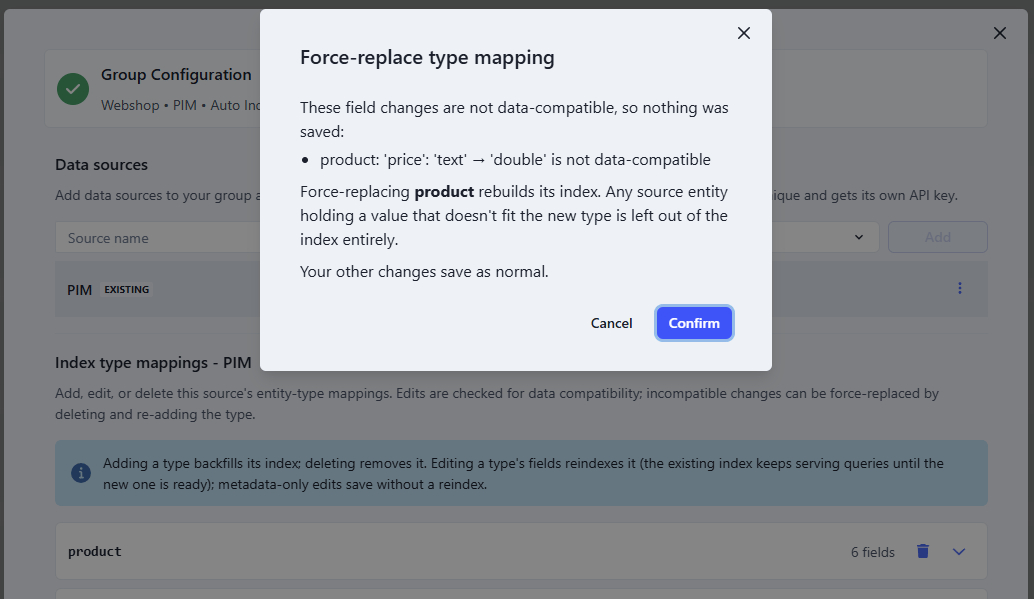
text values really are numbers, they all survive the change to double.
Any entity holding a value that doesn’t fit is left out of the index entirely, not just that one field, so you can no longer query it. The entity itself is kept and is queryable again once re-ingested with a matching value — but this is exactly what the compatibility check normally protects you from, so make sure you know your data before replacing a type.