> ## Documentation Index
> Fetch the complete documentation index at: https://docs.enterspeed.com/llms.txt
> Use this file to discover all available pages before exploring further.
# 3. Designing your APIs
# Designing your APIs in Enterspeed
If you get stuck on the way, don't hesitate to reach out to us. We're more than happy to help! You can contact us at [support@enterspeed.com](mailto:support@enterspeed.com).
Now for the fun part - designing the APIs we're going to use. This will be the glue that ties our Sources and Environments together. We do this by setting up schemas.
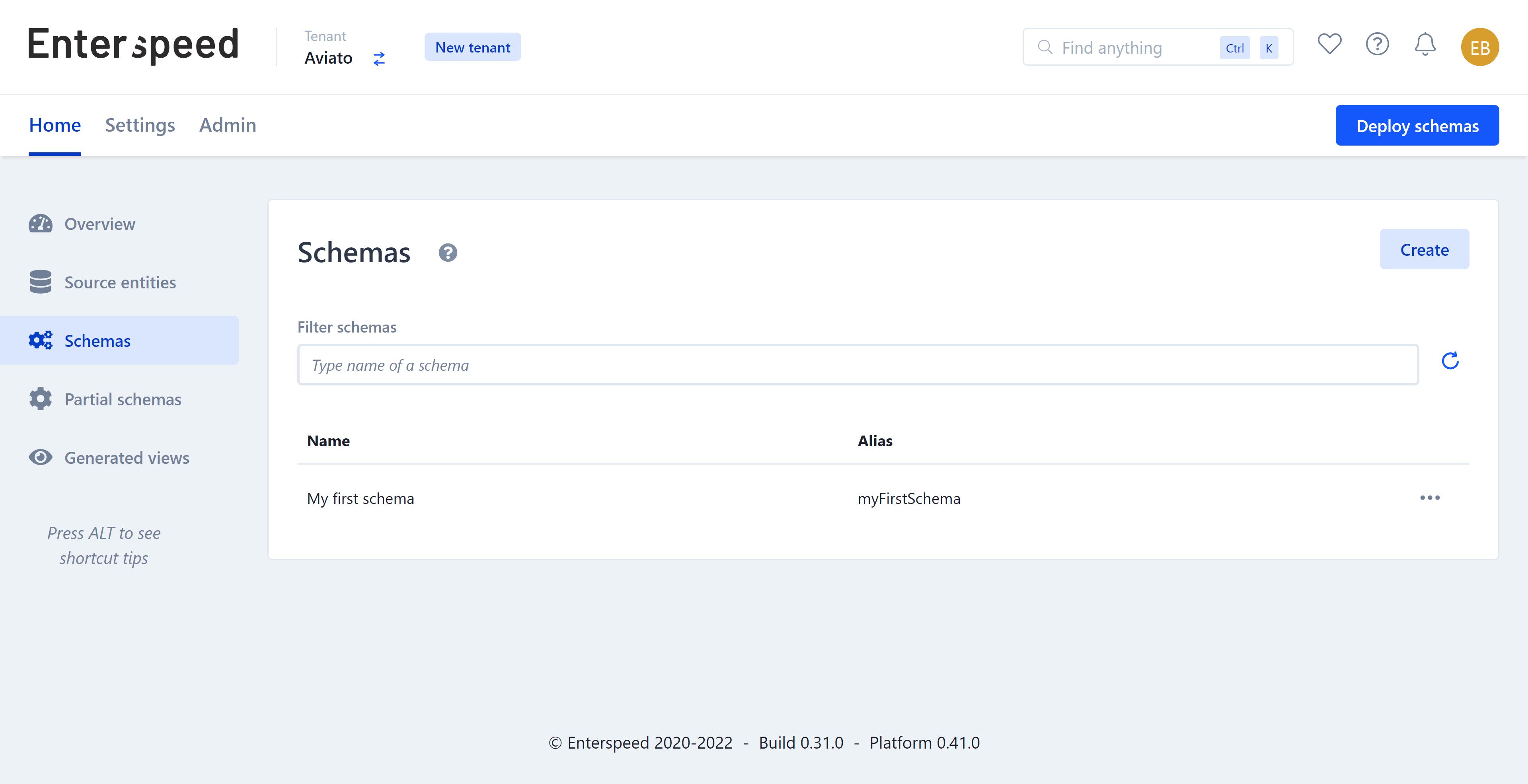
You find the schema editor in Enterspeed under **Schemas**.
 The powerful thing about setting up schemas yourself is you get to decide precisely which data you need and how it gets structured.
Let's take a look at how a schema can be structured. In *Example schemas & partial schemas* below you'll see three examples from this project. We'll look at the **contentPage** example.
The first thing you need to define is your **triggers**. Triggers consist of one or more source groups, which contain one or more source entity types (the data your schema should use). You can find a list of all the Source Entity Types in the **Source entities** table in your Enterspeed-project under **Type**.
```js theme={null}
triggers: function(context) {
context.triggers('umbracoCloud', ['contentPage'])
}
```
Next, we need to define the **routes** - how should we be able to fetch the data? We can do this by URL, Handle, and ID. For our contentPages URL makes the most sense.
```js theme={null}
routes: function (sourceEntity, context) {
context.url(sourceEntity.url)
}
```
Lastly, but certainly not least, we need to define which data we want in our schema. We do this under **properties**.
The name of the object is the name we're going to use in our application. As you can see in the example, we have chosen to rename **pageTitle** to **headline** for our use case.
Notice how we refer to a alias called **{'umbraco-{item.contentType}'}**. This is our partial schema **umbraco-blockText** we are referencing.
If we don't create this partial schema, the ContentPage-schema won't work.
```js theme={null}
properties: function (sourceEntity, context) {
return {
type: sourceEntity.type,
headline: sourceEntity.properties.pageTitle,
blocks: sourceEntity.properties.contentBlocks.map((contentBlock) =>
context.partial(`umbraco-${contentBlock.contentType}`, contentBlock)
)
}
}
```
When designing your schema, use the **Source entities** button to both test and view your Source entities.
When you're finished designing your schema, it's time to deploy it. Click the **Save draft** button. Next click the **Deploy schemas** button in the top right corner.
This will open the deploy pane. Choose the environment you wish to deploy to (e.g. Production) and click the **Deploy 1 change**-button.
The powerful thing about setting up schemas yourself is you get to decide precisely which data you need and how it gets structured.
Let's take a look at how a schema can be structured. In *Example schemas & partial schemas* below you'll see three examples from this project. We'll look at the **contentPage** example.
The first thing you need to define is your **triggers**. Triggers consist of one or more source groups, which contain one or more source entity types (the data your schema should use). You can find a list of all the Source Entity Types in the **Source entities** table in your Enterspeed-project under **Type**.
```js theme={null}
triggers: function(context) {
context.triggers('umbracoCloud', ['contentPage'])
}
```
Next, we need to define the **routes** - how should we be able to fetch the data? We can do this by URL, Handle, and ID. For our contentPages URL makes the most sense.
```js theme={null}
routes: function (sourceEntity, context) {
context.url(sourceEntity.url)
}
```
Lastly, but certainly not least, we need to define which data we want in our schema. We do this under **properties**.
The name of the object is the name we're going to use in our application. As you can see in the example, we have chosen to rename **pageTitle** to **headline** for our use case.
Notice how we refer to a alias called **{'umbraco-{item.contentType}'}**. This is our partial schema **umbraco-blockText** we are referencing.
If we don't create this partial schema, the ContentPage-schema won't work.
```js theme={null}
properties: function (sourceEntity, context) {
return {
type: sourceEntity.type,
headline: sourceEntity.properties.pageTitle,
blocks: sourceEntity.properties.contentBlocks.map((contentBlock) =>
context.partial(`umbraco-${contentBlock.contentType}`, contentBlock)
)
}
}
```
When designing your schema, use the **Source entities** button to both test and view your Source entities.
When you're finished designing your schema, it's time to deploy it. Click the **Save draft** button. Next click the **Deploy schemas** button in the top right corner.
This will open the deploy pane. Choose the environment you wish to deploy to (e.g. Production) and click the **Deploy 1 change**-button.
 ## Example schemas & partial schemas
### ContentPage
```json title="Example schema: ContentPage" theme={null}
{
"triggers": {
"umbracoCloud": ["contentPage"]
},
"route": {
"url": "{url}"
},
"properties": {
"type": "{type}",
"headline": "{p.pageTitle}",
"blocks": {
"type": "array",
"input": "{p.contentBlocks}",
"items": {
"type": "partial",
"input": "{item}",
"alias": "umbraco-{item.contentType}"
}
}
}
}
```
```js title="Example schema: ContentPage" theme={null}
/** @type {Enterspeed.FullSchema} */
export default {
triggers: function(context) {
context.triggers('umbracoCloud', ['contentPage'])
},
routes: function (sourceEntity, context) {
context.url(sourceEntity.url)
},
properties: function (sourceEntity, context) {
return {
type: sourceEntity.type,
headline: sourceEntity.properties.pageTitle,
blocks: sourceEntity.properties.contentBlocks.map((contentBlock) =>
context.partial(`umbraco-${contentBlock.contentType}`, contentBlock)
)
}
}
}
```
### umbraco-blockText (Partial schema)
Notice how the alias is automatically generated as **umbracoBlockText**.
Click the lock to the right in the **Create new partial schema** dialog and change the alias to **umbraco-blockText**, so that it matches the reference we created in the ContentPage-schema.
```js title="Example partial schema: umbraco-blockText" theme={null}
/** @type {Enterspeed.PartialSchema} */
export default {
properties: function (input, context) {
return {
text: input.content.text,
alias: input.contentType,
}
}
}
```
### Navigation
```js title="Example schema: Navigation" theme={null}
/** @type {Enterspeed.FullSchema} */
export default {
triggers: function(context) {
context.triggers('umbracoCloud', ['home'])
},
routes: function (sourceEntity, context) {
context.handle('navigation')
},
properties: function (sourceEntity, context) {
return {
navigationItems: context.reference('navigationItem').children()
}
}
}
```
You can find all of the example schemas on [Github](https://github.com/enterspeedhq/enterspeed-demos/tree/master/umbraco-next/DEMO-DATA/enterspeed-schemas). The project consists of the following schemas and partial schemas:
* [ContentPage](https://github.com/enterspeedhq/enterspeed-demos/blob/master/umbraco-next/DEMO-DATA/enterspeed-contentPage.js)
* [Currency](https://github.com/enterspeedhq/enterspeed-demos/blob/master/umbraco-next/DEMO-DATA/enterspeed-curreny.js)
* [Home](https://github.com/enterspeedhq/enterspeed-demos/blob/master/umbraco-next/DEMO-DATA/enterspeed-home.js)
* [Link](https://github.com/enterspeedhq/enterspeed-demos/blob/master/umbraco-next/DEMO-DATA/enterspeed-link.js)
* [Navigation](https://github.com/enterspeedhq/enterspeed-demos/blob/master/umbraco-next/DEMO-DATA/enterspeed-navigation.js)
* [NavigationItem](https://github.com/enterspeedhq/enterspeed-demos/blob/master/umbraco-next/DEMO-DATA/enterspeed-navigationItem.js)
* [Product](https://github.com/enterspeedhq/enterspeed-demos/blob/master/umbraco-next/DEMO-DATA/enterspeed-product.js)
* [ProductListingView](https://github.com/enterspeedhq/enterspeed-demos/blob/master/umbraco-next/DEMO-DATA/enterspeed-ProductListingView.js)
* [Products](https://github.com/enterspeedhq/enterspeed-demos/blob/master/umbraco-next/DEMO-DATA/enterspeed-products.js)
* [umbraco-blockText](https://github.com/enterspeedhq/enterspeed-demos/blob/master/umbraco-next/DEMO-DATA/enterspeed-partial-umbraco-blockText.js) **(Partial schema)**
## Example schemas & partial schemas
### ContentPage
```json title="Example schema: ContentPage" theme={null}
{
"triggers": {
"umbracoCloud": ["contentPage"]
},
"route": {
"url": "{url}"
},
"properties": {
"type": "{type}",
"headline": "{p.pageTitle}",
"blocks": {
"type": "array",
"input": "{p.contentBlocks}",
"items": {
"type": "partial",
"input": "{item}",
"alias": "umbraco-{item.contentType}"
}
}
}
}
```
```js title="Example schema: ContentPage" theme={null}
/** @type {Enterspeed.FullSchema} */
export default {
triggers: function(context) {
context.triggers('umbracoCloud', ['contentPage'])
},
routes: function (sourceEntity, context) {
context.url(sourceEntity.url)
},
properties: function (sourceEntity, context) {
return {
type: sourceEntity.type,
headline: sourceEntity.properties.pageTitle,
blocks: sourceEntity.properties.contentBlocks.map((contentBlock) =>
context.partial(`umbraco-${contentBlock.contentType}`, contentBlock)
)
}
}
}
```
### umbraco-blockText (Partial schema)
Notice how the alias is automatically generated as **umbracoBlockText**.
Click the lock to the right in the **Create new partial schema** dialog and change the alias to **umbraco-blockText**, so that it matches the reference we created in the ContentPage-schema.
```js title="Example partial schema: umbraco-blockText" theme={null}
/** @type {Enterspeed.PartialSchema} */
export default {
properties: function (input, context) {
return {
text: input.content.text,
alias: input.contentType,
}
}
}
```
### Navigation
```js title="Example schema: Navigation" theme={null}
/** @type {Enterspeed.FullSchema} */
export default {
triggers: function(context) {
context.triggers('umbracoCloud', ['home'])
},
routes: function (sourceEntity, context) {
context.handle('navigation')
},
properties: function (sourceEntity, context) {
return {
navigationItems: context.reference('navigationItem').children()
}
}
}
```
You can find all of the example schemas on [Github](https://github.com/enterspeedhq/enterspeed-demos/tree/master/umbraco-next/DEMO-DATA/enterspeed-schemas). The project consists of the following schemas and partial schemas:
* [ContentPage](https://github.com/enterspeedhq/enterspeed-demos/blob/master/umbraco-next/DEMO-DATA/enterspeed-contentPage.js)
* [Currency](https://github.com/enterspeedhq/enterspeed-demos/blob/master/umbraco-next/DEMO-DATA/enterspeed-curreny.js)
* [Home](https://github.com/enterspeedhq/enterspeed-demos/blob/master/umbraco-next/DEMO-DATA/enterspeed-home.js)
* [Link](https://github.com/enterspeedhq/enterspeed-demos/blob/master/umbraco-next/DEMO-DATA/enterspeed-link.js)
* [Navigation](https://github.com/enterspeedhq/enterspeed-demos/blob/master/umbraco-next/DEMO-DATA/enterspeed-navigation.js)
* [NavigationItem](https://github.com/enterspeedhq/enterspeed-demos/blob/master/umbraco-next/DEMO-DATA/enterspeed-navigationItem.js)
* [Product](https://github.com/enterspeedhq/enterspeed-demos/blob/master/umbraco-next/DEMO-DATA/enterspeed-product.js)
* [ProductListingView](https://github.com/enterspeedhq/enterspeed-demos/blob/master/umbraco-next/DEMO-DATA/enterspeed-ProductListingView.js)
* [Products](https://github.com/enterspeedhq/enterspeed-demos/blob/master/umbraco-next/DEMO-DATA/enterspeed-products.js)
* [umbraco-blockText](https://github.com/enterspeedhq/enterspeed-demos/blob/master/umbraco-next/DEMO-DATA/enterspeed-partial-umbraco-blockText.js) **(Partial schema)**