> ## Documentation Index
> Fetch the complete documentation index at: https://docs.enterspeed.com/llms.txt
> Use this file to discover all available pages before exploring further.
# 2. Data sources and environment
# Data sources and environment
First off we need to set up environment settings and then create the required data sources.
## Environment settings
Go to [https://app.enterspeed.com/settings/environment-settings](https://app.enterspeed.com/settings/environment-settings).
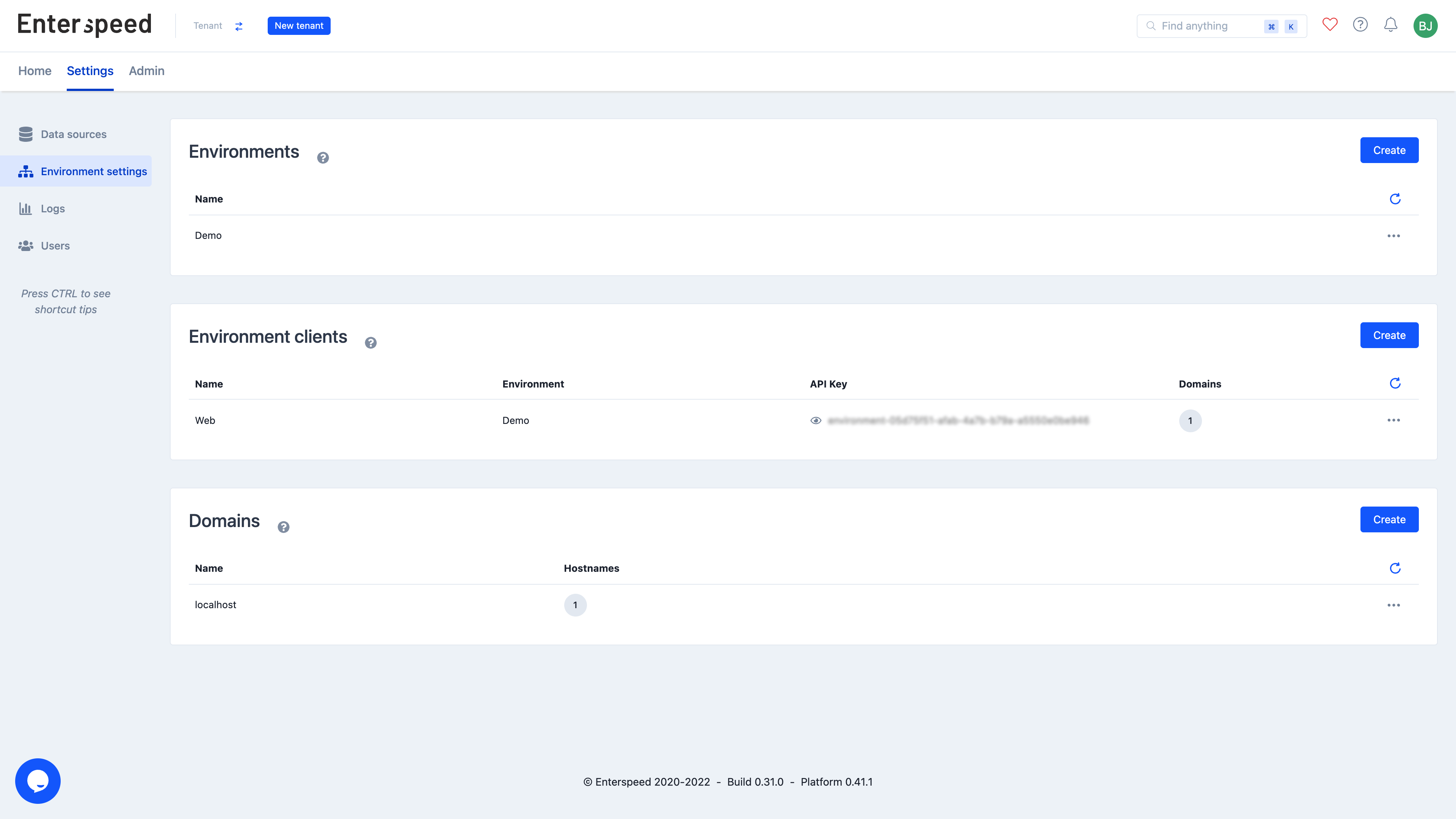
Create a domain called *localhost*. Once you have created the domain, click the three dots next to the domain name (settings) and select *Edit hostnames*. Create a hostname called *root.tld* and click save.
Create an Environment client named *Web* and select the *localhost* domain when prompted.
Finally, create an Environment called *Demo*.
You should end up with something like this:
 ## Data sources
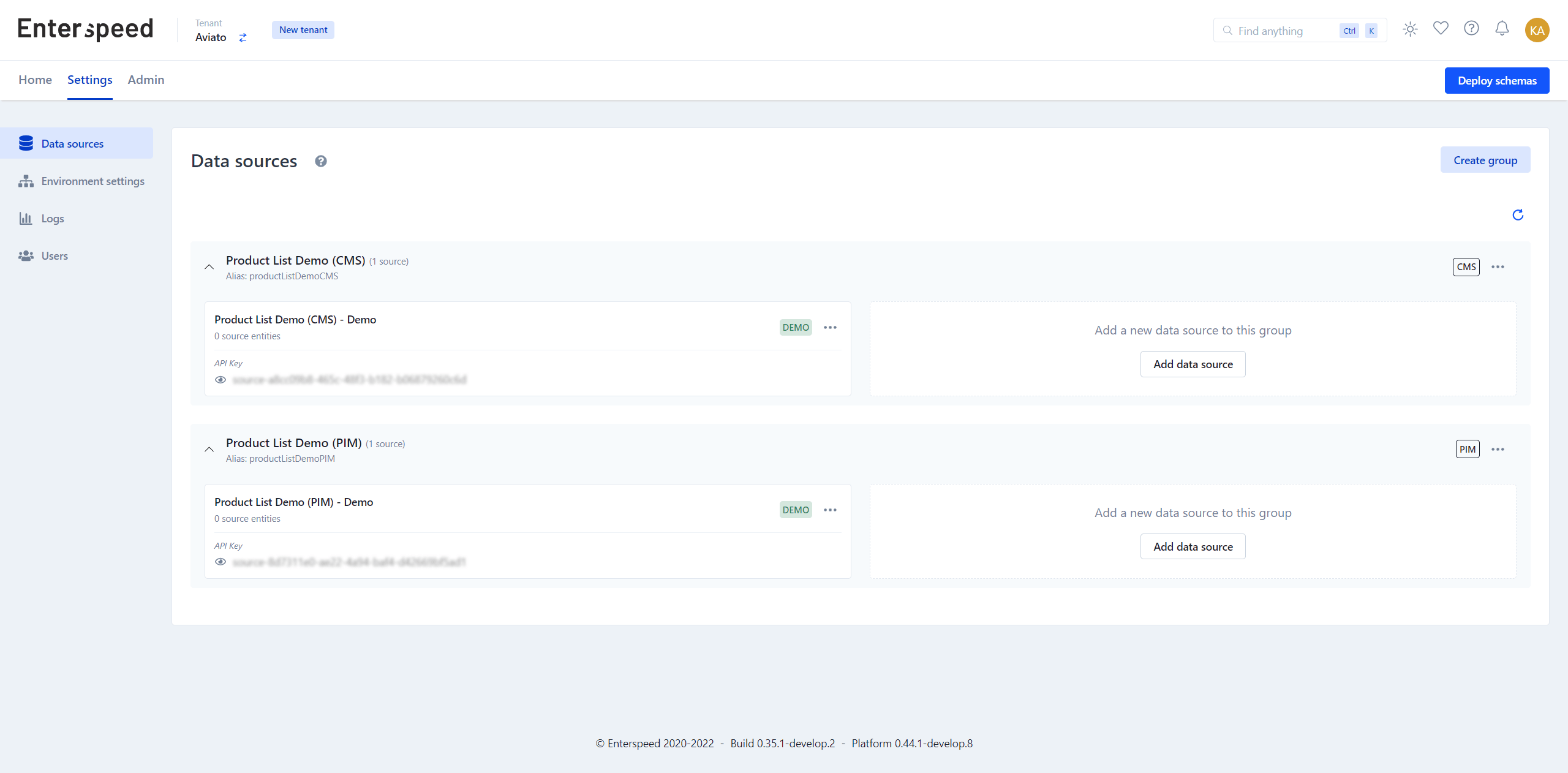
Go to [https://app.enterspeed.com/settings/data-sources](https://app.enterspeed.com/settings/data-sources) and create a data source group named *Product List Demo (CMS)* and *Product List Demo (PIM)*.
In the *Product List Demo (CMS)*-group created a data source called *Product List Demo (CMS) - DEMO* and select the *Demo* environment. For the *Product List Demo (PIM)*-group create a data source called *Product List Demo (PIM) - Demo* and select the *Demo* environment.
## Data sources
Go to [https://app.enterspeed.com/settings/data-sources](https://app.enterspeed.com/settings/data-sources) and create a data source group named *Product List Demo (CMS)* and *Product List Demo (PIM)*.
In the *Product List Demo (CMS)*-group created a data source called *Product List Demo (CMS) - DEMO* and select the *Demo* environment. For the *Product List Demo (PIM)*-group create a data source called *Product List Demo (PIM) - Demo* and select the *Demo* environment.